Phishing simulation best practices decide whether your program actually makes you safer — or quietly chips away at the trust your team has in you. The nine rules below pull together what the research, NIST guidance, and GDPR rules say works in practice. They’re the difference between a program people learn from and one that ends up on HR’s desk.
Phishing simulation best practices are not a checklist of technical settings. They are the design, delivery, and ethical principles that determine whether a program builds employee trust or destroys it and whether it actually improves security.
That distinction matters because most guides treat trust as a secondary concern, something to manage after the click rate is under control. The research says otherwise. An employee who feels ambushed by a simulation is less likely to report a real attack. The emotional outcome is not a soft HR variable. It is a security outcome.
You ran a phishing simulation. An employee clicked. They found out it was a test. Now HR has a complaint on file, the union representative wants a meeting, and two people have quietly stopped reporting suspicious emails because they’re afraid of looking foolish again. You didn’t intend for this to happen. Here are the nine rules that would have prevented it and that can still fix it.
The standard logic runs simulate phishing, lower the click rate, improve security. That logic is incomplete.
An employee who clicks on a simulated phishing email, discovers it was a test, and feels humiliated will respond in one of two ways. They will ignore suspicious emails to avoid further scrutiny. Or they will stop reporting anything at all, because reporting invites attention they don’t want.
Both outcomes make the organisation less secure.
According to a 2024 annual phishing industry report, only 18.3% of simulated phishing emails are reported correctly by employees. That figure not the click rate is your most important baseline. It measures how many employees are actively engaged in detecting threats versus quietly opting out of the process.
The employee who feels tricked is not a soft HR concern. They are a gap in your early warning layer.
More than most programs currently communicate and less than you think would compromise the test.
Program-level transparency does not undermine a simulation. It is what separates a learning exercise from a surveillance exercise in the minds of employees and, increasingly, in the view of works councils and regulators.
In practice, this means:
The UK’s National Cyber Security Centre (NCSC) specifically warns that poorly framed simulations create an adversarial dynamic employee who feel monitored by the security team, rather than supported by it. That dynamic is avoidable. It is a design choice.
A well drafted all staff notice does not say: “A phishing simulation is coming on Tuesday.” It says, in plain language, that simulated phishing is one of several awareness tools the organization uses, that the goal is to help employees learn, and that results are reported at team level.
That framing is honest. It also produces better data employees who understand why a program exists engage with it differently.
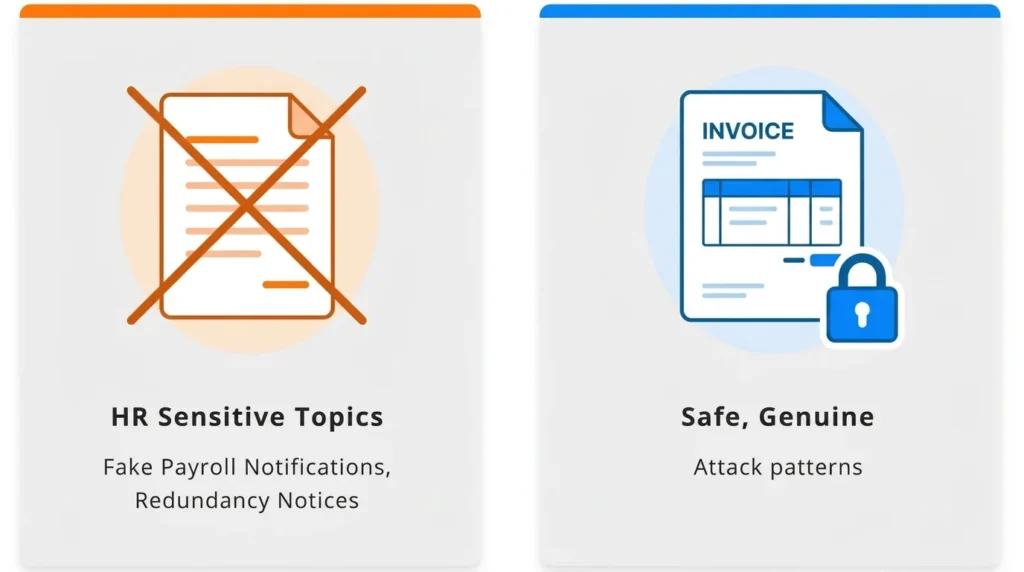
At a 2025 security research symposium, researchers placed HR-sensitive topics in their own category of ethical violation in simulation design. The reason is straightforward. Scenarios that reliably produce grievances are the ones that exploit emotions an employee cannot separate from their job security or personal life. That rules out a familiar set of templates: fake redundancy or disciplinary notices, simulated health emergencies or safety alerts, fake bonus announcements that turn out to be traps, and any message disguised as a benefits change, payroll error, or pension update. Each of these sits too close to something the employee is already worried about in real life.
Before approving any scenario, ask two questions:
If the answer to either is yes, choose a different scenario.
Scenarios that work well: fake invoice approval requests, shared document notifications, password expiry alerts, courier delivery notices, and IT helpdesk impersonations. These reflect genuine attack patterns. They do not weaponize anxiety.
The highest-click-rate scenario is not automatically the best training scenario. It may also be the fastest route to a formal grievance.
When a simulated phishing email reaches your entire organization simultaneously, someone clicks, recognizes it as a test, and tells the person next to them. Within minutes, the simulation is compromised. Your data reflects awareness of the simulation not awareness of phishing.
This is not a hypothetical risk. It is documented and consistent.
The solution:
Staggered delivery does not guarantee unprimed responses from every participant. It substantially increases the proportion that reflects genuine, habitual behavior which is the data worth having.
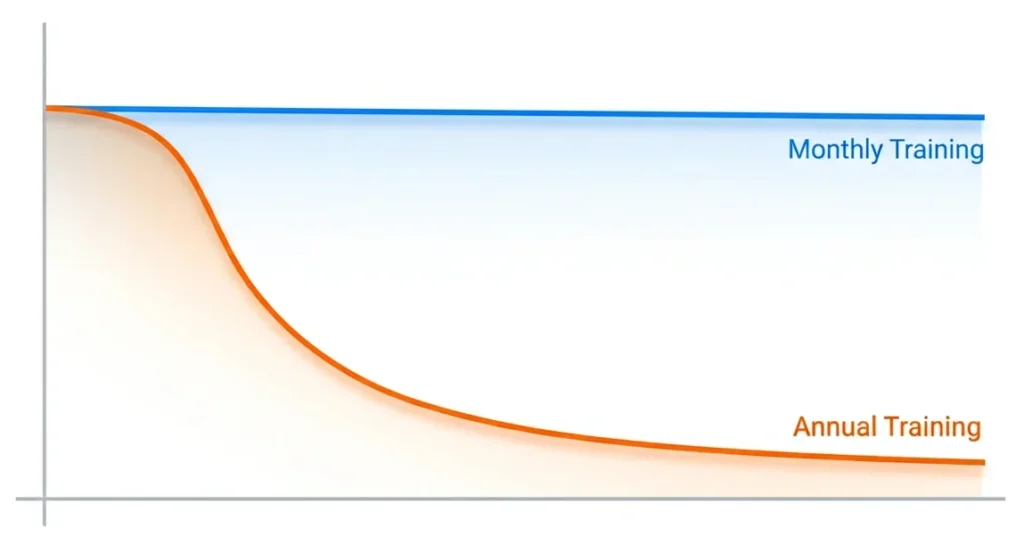
Most organizations run simulations quarterly. The research does not support this cadence.
A peer-reviewed scoping review of 42 phishing simulation studies concluded that annual programs are unlikely to provide sustained protection. Training effects decay the benefit of any single event fades within weeks, not months.
According to a 2025 annual data breach investigation report, employees trained in the last 30 days are four times more likely to report suspicious email than those trained earlier in the year. Recency matters more than total training hours.
A 2025 longitudinal study across 20 organizations found that sustained simulation programs halved successful compromise rates within six months. The same study found that employee turnover introduced measurable fluctuations in awareness levels, underscoring the need for continuous onboarding into the training cycle.
Monthly is what the evidence supports. Quarterly is what most organizations do. The gap between these two positions is where much of the residual risk lives.
The click rate is useful at program launch. In a mature program, it is a limited metric.
According to a 2025 industry benchmarking report analyzing 67.7 million simulations across 62,400 organizations:
Separately, a 2025 annual data breach investigation report found that in well-managed, mature programs, the median simulation click rate stabilizes near 1.5%. Once a program reaches that level, click-rate tracking stops providing useful new information.
The reporting rate is the metric that matters at this stage. It measures the proportion of employees who identify a simulated phishing email and reports it correctly through the designated channel. A 2024 annual phishing industry report found that only 18.3% of simulated emails are reported on average. In financial services, that figure rises to 32.35% reflecting what sustained, sector-specific training actually produces over time.
When presenting results to leadership, pair the reporting rate with a difficulty rating for the scenarios used. NIST’s Phish Scale provides a framework for scoring email difficulty making your headline results genuinely comparable over time, rather than artefacts of which scenario you chose to send.
The honest answer is: it depends on the design. The version that most organisations run is not the version that the evidence supports.
A 2025 study by US university researchers, analysing 12,511 participants at a US-based financial technology firm, found that annual one-off training had negligible measurable impact on simulated phishing failure rates. Optional post-click training pop-ups the immediate landing page that appears when an employee click performed barely better. Most employees closed the page within a short time of loading it.
A multi-year European university study tracking over 14,000 employees found something more counterintuitive: embedded post-click training sometimes increased susceptibility in subsequent simulations. The proposed mechanism is overconfidence employees who completed an immediate training module felt more protected than they were, and became less cautious as a result
These findings do not mean simulations are ineffective. They mean the standard implementation model annual e-learning plus an immediate pop-up is not the version that works.
What the research does support:
The NCSC notes a complementary format worth considering asking employees to craft their own phishing emails as a learning exercise. This builds genuine understanding of social engineering without the adversarial dynamic that simulations can create. It is not a replacement but for teams that have experienced significant pushback, it is a useful addition.
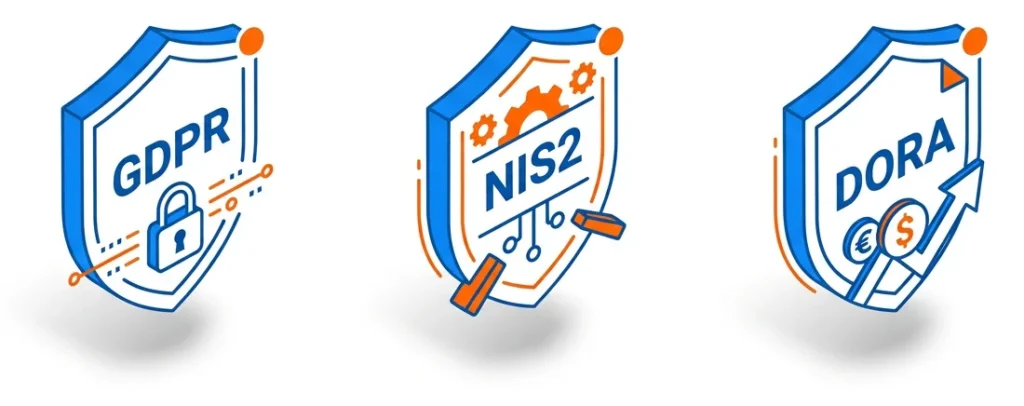
If your organization operates in the European Union, phishing simulations now carry a regulatory dimension that did not exist two years ago.
The NIS2 Directive mandatory for EU essential and important entities since October 2024 requires organizations to demonstrate the effectiveness of security training, not merely record that training occurred. Auditors now require evidence of measurable outcomes. A complete training checkbox is no longer sufficient.
For financial sector organizations, DORA imposes comparable obligations with sector-specific requirements.
Every click a simulated phishing email records is personal data under the General Data Protection Regulation.
The legal basis most commonly cited employee consent is not valid in this context. Under GDPR Article 6, consent in an employment relationship is not freely given because of the inherent power imbalance. Legitimate interest is the correct legal basis, but it must be documented in a Legitimate Interest Assessment before the program begins not retrospectively.
Under Article 5(1)(c), reporting simulation results at individual level may breach the data minimisation principle. NIST SP 800-50 Rev. 1, published in September 2024, recommends reporting at group or department level not naming individual employees to prevent the development of a punitive culture.
⚠️ This section presents general guidance, not legal advice. Specific obligations depend on your jurisdiction, sector, and existing data processing agreements. Verify with qualified legal counsel before launching any program that involves individual-level data collection.
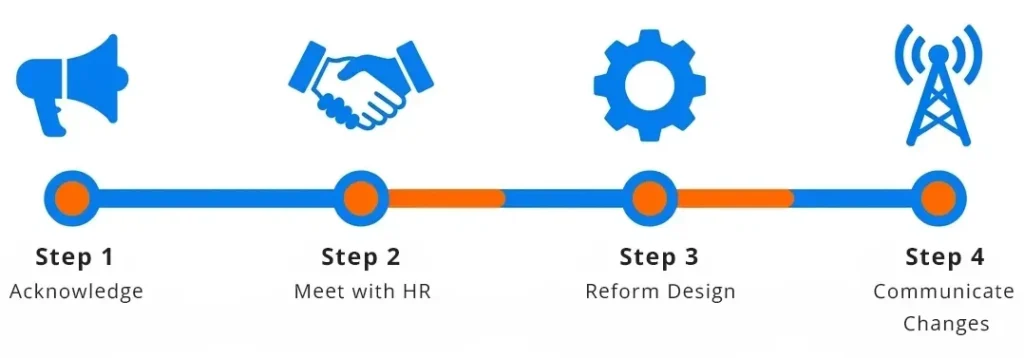
If your last simulation triggered formal complaints, a union grievance, or a visible drop in voluntary reporting, the following sequence applies.
Step 1: Acknowledge within 48 hours. Send an all-staff message. Do not frame it as a justification. Acknowledge that the simulation caused distress, explain the intent, and state what you are changing. Silence causes more lasting damage than candid acknowledgement.
Step 2: Meet with HR and employee representatives before doing anything else. Do not run another simulation until this meeting has taken place. In unionized environments, this step determines whether the next program is seen as collaboration or provocation.
Language that tends to work in these conversations:
Step 3: Reform the program design before restarting. Apply the scenario ethics framework from Rule 3. Confirm the pre-launch communication plan. Document the legal basis for data collection as described in Rule 8.
Step 4: Communicate the changes to all staff. Before the next simulation goes out, tell employees what changed and why. This is the single action most likely to rebuild trust. It demonstrates that the feedback was heard and that the program exists to help them not to catch them.
Platforms like Complorer are designed specifically for this transition supporting security managers who need to restart a phishing simulation program with the conditions for trust already in place, rather than simply resuming a broken one.
The nine rules above share a single underlying logic an employee who understands why a simulation exists and trusts that it will not be used against them will learn from it. An employee who feels ambushed will not.
The research is clear on what works frequent, ethically designed simulations, paired with transparent communication and results reported at group level. Annual training does not work. Pop-up training that employees close within seconds does not work. Scenarios that simulate redundancy notices or health emergencies destroy trust faster than they build skill.
If your last simulation created a problem, do not run a better simulation next month. Rebuild the conditions under which simulation can function as a learning tool. Start with Step 1 of the post-incident repair protocol. Everything else follows from there.
To explore how Complorer supports organizations building phishing simulation programs that employees trust and that produce measurable security improvement visit the Complorer platform.
Prioritizing the click rate above all other measures. A low click rate tells you that employees can recognize your current scenarios it does not tell you whether they would report a real attack, or whether they trust the security team enough to stay engaged. The reporting rate is a better indicator of program health, and most organizations do not track it consistently.
Persistent high-risk individuals need a different approach not more of the same test. Consider one-to-one support from the security awareness team, role-specific training focused on the attack types most relevant to their job function, and a review of whether that function creates unusual exposure. Never use simulation data as the basis for disciplinary action. This increases fear, reduces reporting, and may create legal exposure under data protection law.
Yes, but the legal basis and data handling must be correctly documented before the program begins. Employee consent is not a valid legal basis in the employer-employee context. Legitimate interest is the standard basis, documented through a Legitimate Interest Assessment. Results should be reported at group or department level, not at the individual employee level. Verify your specific obligations with qualified legal counsel, particularly if NIS2 or DORA applies to your organization.
Involve them before the program is finalized not after the first complaint. Share the design early, frame simulations as a tool to protect employees rather than test them and agree on acceptable scenario categories in advance. Commit in writing that individual click data will not be shared with line managers or used in performance or disciplinary processes. Co-designed programs consistently see lower resistance and higher genuine engagement.
The evidence is more nuanced than most content on this topic acknowledges. Annual training has negligible measurable impact, according to a 2025 study of 12,511 participants at a US-based financial technology firm. Immediate post-click training pop-ups are rarely effective most employees close them within a short time of loading. However, monthly simulations combined with organization-wide follow-up education produce meaningful results. A 2025 longitudinal study across 20 organizations found that sustained programs halved successful compromise rates within six months. Frequency and design matter significantly more than the length of any single training event.
[1] UK National Cyber Security Centre. (2024). Phishing Attacks: Defending Your Organization. Government guidance. https://www.ncsc.gov.uk/guidance/phishing
[2] National Institute of Standards and Technology. (2024, September). Building an Information Technology Security Awareness and Training Program. NIST Special Publication 800-50 Rev. 1. https://csrc.nist.gov/pubs/sp/800/50/r1/final
[3] National Institute of Standards and Technology. (2024). NIST Phish Scale User Guide. https://www.nist.gov/publications/nist-phish-scale-user-guide
[4] Verizon. (2025). Data Breach Investigations Report 2025. Annual industry report. https://www.verizon.com/business/resources/reports/dbir/
[5] Anonymous et al. (2025). Sustaining Cyber Awareness: The Long-Term Impact of Continuous Phishing Training and Emotional Triggers. arXiv preprint arXiv:2510.27298. https://arxiv.org/html/2510.27298v1
[6] Lain, D., Jost, T., Matetic, S., Kostiainen, K., & Capkun, S. (2024). Content, Nudges and Incentives: A Study on the Effectiveness and Perception of Embedded Phishing Training. Proceedings of the 2024 ACM SIGSAC Conference on Computer and Communications Security (CCS ’24). arXiv preprint arXiv:2409.01378. https://arxiv.org/abs/2409.01378
[7] Phishing by Industry Benchmarking Report. (2025). Industry benchmarking report. Analysis of 67.7 million simulations across 62,400+ organizations. https://www.knowbe4.com/resources/reports/phishing-by-industry-benchmarking-report
[8] UK Information Commissioner’s Office. (2024). Monitoring workers: Employment practices and data protection. https://ico.org.uk/for-organisations/uk-gdpr-guidance-and-resources/employment/monitoring-workers/
[9] State of the Phish. (2024). Annual phishing simulation benchmarking report. https://www.proofpoint.com/us/resources/threat-reports/state-of-phish
[10] Rozema, A., et al. (2025). Anti-Phishing Training (Still) Does Not Work: A Large-Scale Reproduction of Phishing Training Inefficacy Grounded in the NIST Phish Scale. arXiv preprint arXiv:2506.19899. https://arxiv.org/abs/2506.19899
[11] Lain, D., Kostiainen, K., & Capkun, S. (2022). Phishing in Organizations: Findings from a Large-Scale and Long-Term Study. IEEE Symposium on Security and Privacy. arXiv:2112.07498. https://arxiv.org/abs/2112.07498
[12] Ho, G., Mirian, A., Luo, E., Tong, K., Lee, E., Liu, L., Longhurst, C. A., Dameff, C., Savage, S., & Voelker, G. M. (2025). Understanding the Efficacy of Phishing Training in Practice. IEEE Symposium on Security and Privacy. DOI: 10.1109/SP61157.2025.00076. [13] Proofpoint. (2025). Phishing Tests Reveal Human-Targeted Threats Are Evolving. https://www.proofpoint.com/us/blog/email-and-cloud-threats/phish-tests-reveal-human-targeted-threats-evolving
A phishing simulation program is a structured, recurring exercise in which your business sends controlled fake phishing emails to your own staff to test and improve their ability to spot real attacks before one causes damage. Done well, it is one of the most cost-effective security measures available to a small business. Done badly, it can damage the trust that holds a small team together.
This guide is written for business owners who are not security professionals. It covers what the research actually shows about whether these programs work, how to introduce one without creating resentment, what UK GDPR means for tracking employee click data, and what to do when someone keeps failing.
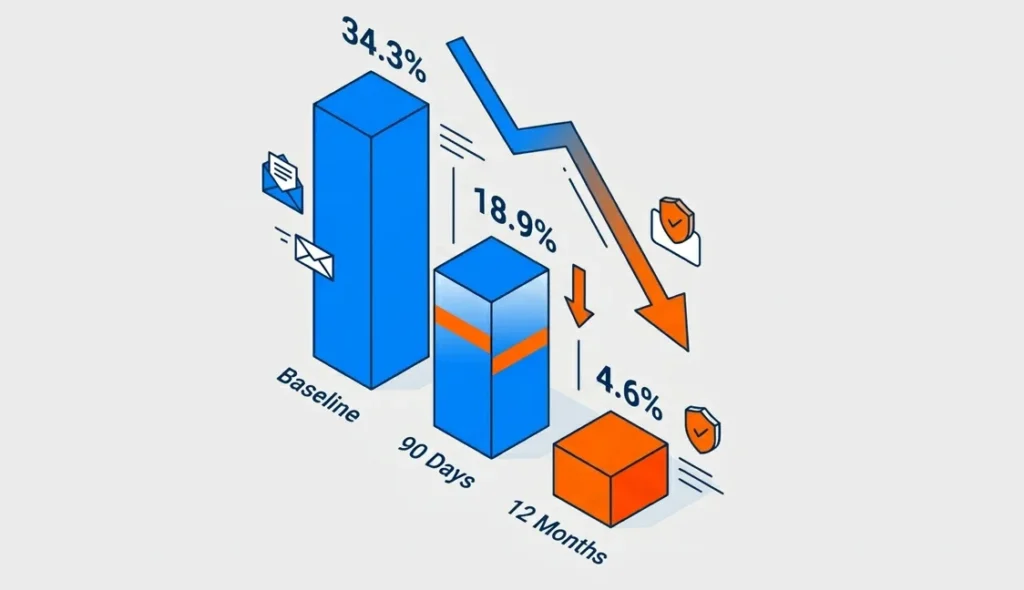
The honest answer is it depends on how you design them.
A 2024 industry benchmarking report based on nearly 12 million users found that the average baseline phish-prone rate was 34.3%. After 90 days of security awareness training and simulated phishing, it fell to 18.9%, and after 12 months it fell to 4.6%, an 86% reduction..
Those are compelling numbers. But a 15-month academic study one of the largest ever conducted reached a more uncomfortable conclusion. It found that immediate embedded phishing training did not reliably reduce future susceptibility on its own. The researchers argue that any benefit appears to come more from repeated reminders than from the training content itself. In some groups, employees who received embedded training went on to perform more dangerous actions than the untrained control group.
Both findings can be true and understanding why is worth a few minutes.
Simulations work when they are part of a genuine learning culture. They do not work when they function as a surveillance or compliance exercise or when the training that follows a failed test feels like punishment. A 2024 academic study presented at a major international cybersecurity security conference found that employee perception of the program directly shapes its effectiveness. When employees felt surveilled or tested unfairly, they disengaged. When they felt the program was designed to help them, engagement improved.
The practical conclusion, the tool you choose matters far less than the program you build around it.
The single biggest factor separating effective programs from ineffective ones is whether you prioritise reporting culture over click-rate reduction.
The same large-scale academic study that questioned embedded training found something encouraging when employees were given a simple way to report suspicious emails, they collectively detected new phishing campaigns within minutes. That is a more valuable outcome than a low click rate on a dashboard.
Build the habit of reporting. Every person who flags a suspicious email whether simulated or real is doing exactly what you need them to do.
The most common mistake is launching in complete secrecy, on the assumption that realism requires surprise. It does not.
You do not need to tell your team when a simulation will arrive. But you do need to tell them that simulations happen. This distinction matters more than it might seem. Teams who know simulations occur are not meaningfully better at spotting them, but they are far more likely to stay engaged, report suspicious emails, and not feel ambushed if they do click.
A 2024 study examining employee attitudes toward phishing simulations described surprise testing as feeling “like when a child reaches onto a hot hob.” The emotional response shock, embarrassment, distrust is not conducive to learning. In a small business where every working relationship is personal, that response has a longer tail.
The way you introduce the program is more important than any individual simulation. The core message to communicate is this:
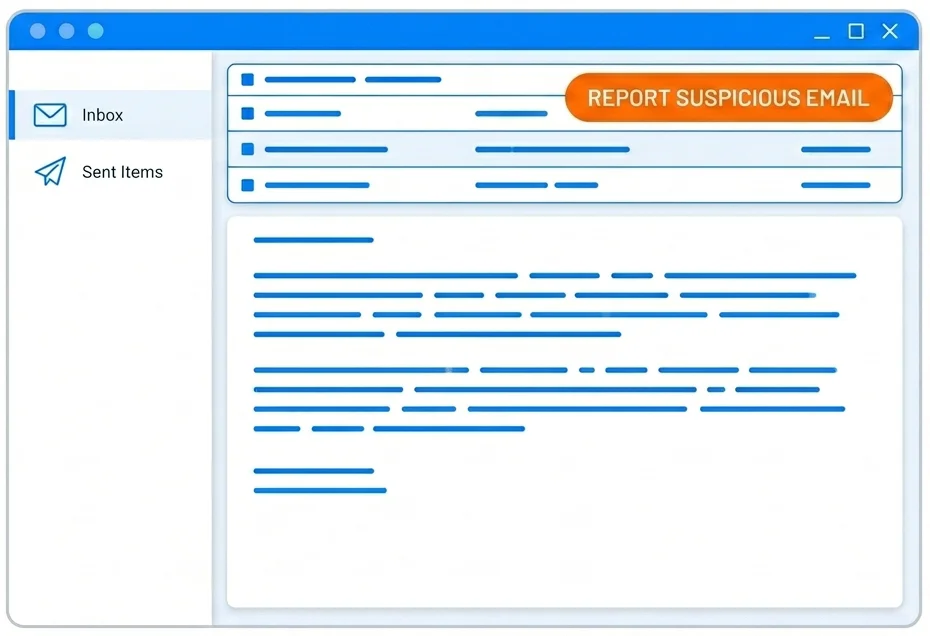
Keep it short. Keep it direct. Here is a template:
Subject: We’re adding phishing awareness to how we work
Hi team,
Phishing attacks are the most common way businesses get compromised and most start with a single click. I want to make sure we’re all in a strong position to spot them.
From time to time, I’ll be running short simulated phishing exercises fake emails that look like the kind of thing attackers actually send. If you click, nothing bad happens. You’ll get a short note explaining what to look for.
More importantly: if anything looks suspicious whether it’s a test or the real thing please flag it to [your designated email or contact]. That’s exactly what I need you to do.
This isn’t about catching anyone out. It’s about making all of us harder to fool.
[Your name]
That tone direct, honest, without drama is what makes the difference in a small team.
Most simulation platforms offer hundreds of templates. The temptation is to start with the most generic ones a “your password is expiring” email, a fake delivery notification. These have their place, but they may not reflect the threats your business faces.
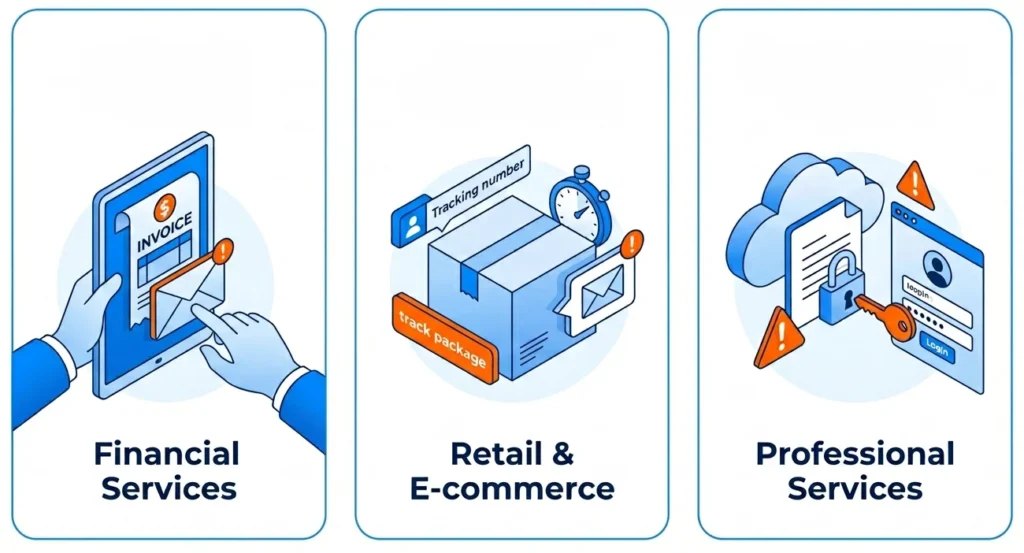
Consider what attackers are most likely to send to your industry and team size:
One important note for 2025 a 2025 vendor threat report found that over 82.6% of phishing attacks now use AI-generated content that adapts wording to appear more personalised and legitimate. The implication is that generic, obviously fake templates may underestimate the sophistication of what your team will encounter.
Also vary when you send simulations. Experimental research has found that people can become more susceptible to phishing under higher workload conditions, suggesting that testing only during quiet periods may understate real-world risk.
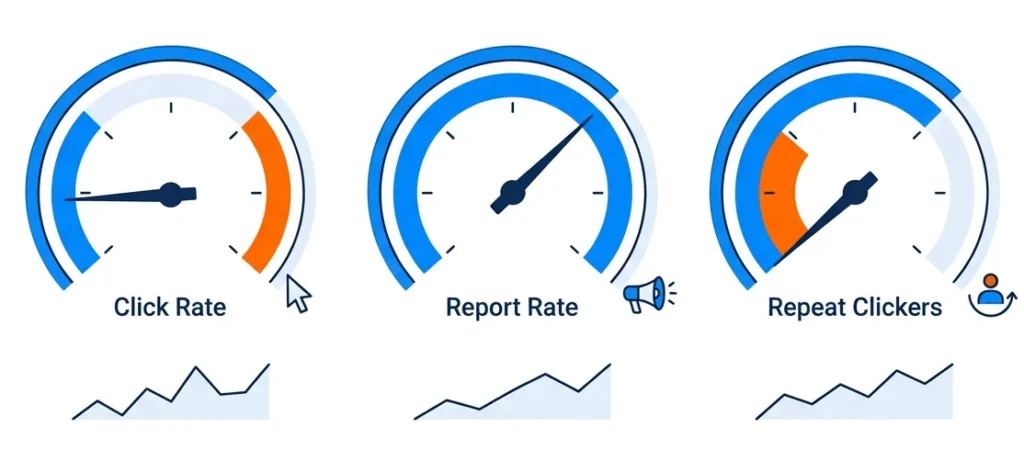
After your first simulation, you will have data. Most platforms give you more numbers than you need. Here is what actually matters.
1. Click rate – The percentage of employees who clicked the fake phishing link. A 2025 industry benchmarking report puts the average baseline at 24.6% for organisations with fewer than 250 employees. That is your starting point, not a verdict on your team.
2. Report rate – The percentage of employees who flagged the email as suspicious. Verizon’s 2024 DBIR says that in security awareness exercise data contributed by partners during 2023, 20% of users reported phishing in simulation engagements, and 11% of users who clicked also reported it. That makes reporting rate one of the most useful indicators of whether your program is improving behaviour.
3. Repeat clickers Which employees clicked across multiple simulations? This is a support signal, not a disciplinary one. More on this below.
One practical caution: in a small team, one or two people can swing your percentage figures significantly. Do not read too much into a single result. The trend across three to six months tells you far more than the first number you see.
This is the question that almost no guide answers clearly and it is the one small business owners most need answered.
In a 20-person business, the person who keeps clicking is often someone you have worked with for years. You are not going to fire them. You are not going to humiliate them. You should not do either.
Have a private, low-stakes conversation. Not a disciplinary meeting, a genuine conversation about what they find difficult when assessing suspicious emails. Some people are more susceptible under cognitive load. Some struggle with specific formatting cues. Understanding the difficulty points to the right response.
Offer targeted help, not generic retraining. Sending someone through a standard security module for the third time rarely works. Walk through the specific signals they missed in the simulations they clicked on. Make the learning concrete and relevant.
Consider process controls as well as training. For employees who handle financial transactions or sensitive data, requiring dual approval for wire transfers or supplier payment changes reduces risk without relying entirely on individual vigilance. This is not a workaround for a training failure. It is how well-designed security operates at every level.
Research tracking employee attitudes across a large organization found that employees who received targeted, non-punitive follow-up after failing a simulation were significantly more engaged in subsequent exercises than those who received generic retraining. The manner of the response matters as much as the response itself.
This section does not substitute for legal advice. If you are processing individual employee data as part of a phishing simulation program, speak to an employment lawyer or data protection adviser for your specific situation. What follows is a starting framework.
When you run a phishing simulation program, you are typically recording which employees clicked, when, and how many times. That is personal data under UK GDPR. To process it lawfully, you need to address four things:
A lawful basis. The most likely basis for most small businesses is legitimate interests your interest in protecting the business from cyberattacks. Legitimate interests must be weighed against employee privacy rights. The less intrusive your data collection, the more straightforward this balance becomes.
Transparency. The UK Information Commissioner’s Office (ICO) requires that employees are informed about monitoring activity in most circumstances. Telling your team that simulations occur as the launch communication above does supports your transparency obligations. You do not need to disclose your testing schedule or methodology.
Data minimisation. Collect only what you will use. Aggregate click rates are sufficient for most small businesses. Individual-level tracking should be limited to what you need for follow-up support not retained indefinitely.
A documented retention policy. Decide how long you keep individual click data before anonymising or deleting it. Write that decision down.
The practical position for most small businesses: tell your team simulations happen, limit individual tracking to what you need, and document your lawful basis. That is a solid foundation.
A phishing simulation program works when it is built around trust, not surveillance. The research is clear: reducing a click rate is a weak outcome on its own. What you are building is a team that reports suspicious emails and that feels confident enough to do so.
Start by telling your team the program exists. Use the communication template in this guide or adapt it to your own voice. Run your first simulation, and measure not just who clicked, but who reported. That second number is your real baseline.
Platforms like Complorer are built for exactly this kind of program combining simulation tools with structured follow-up support designed to help employees rather than penalise them. The goal is not a lower number on a dashboard. It is a team that makes attackers’ lives harder.
Take one action today: draft the internal announcement. Everything else follows from there.
Monthly simulations are the frequency supported by most industry data. A 2024 industry benchmarking report found the greatest reduction in susceptibility among organizations that combined monthly simulations with targeted training. For a very small team, monthly may feel intensive but varying the templates and keeping the tone supportive manages that. Quarterly testing produces some benefit, but the learning effect drops significantly at longer intervals.
A 2025 industry benchmarking report puts the average baseline click rate for organizations with fewer than 250 employees at 24.6%. After 12 months of consistent training and simulations, well-run programs reach rates below 5%. Do not judge your program on the first result judge it on the trend across six to twelve months.
UK GDPR requires transparency about employee monitoring in most circumstances. The ICO’s guidance indicates that employees should generally be aware when they are subject to monitoring which includes recording click behaviour during simulations. You do not need to announce test dates, but your team should know simulations occur. This is both a legal obligation and a program quality decision: transparent programs produce better outcomes than covert ones.
You do not need a large budget. Free, open-source simulation platforms are sufficient for basic programs in small teams. Paid security awareness training platforms add value through template libraries, automated training delivery, and reporting dashboards. Whether that value justifies the cost depends on whether you will actually use those features. If you are setting up a program for the first time with a team under 50, start with whatever tool you will commit to using consistently. Consistency matters more than sophistication.
Join 65,000+ users who've moved from managing platforms to managing risk. Let Complorer handle the rest.

 Buy on AWS Marketplace