




Key Takeaways
- A well-designed phishing simulation program can reduce your team’s susceptibility by up to 86% over 12 months but only when it is built around learning, not blame.
- The research on whether a phishing simulation program works is more nuanced than most guides admit. Program design matters more than the tool you choose.
- Telling your team that simulations happen without revealing when protects trust and produces better outcomes than running tests in secret.
- UK businesses have GDPR obligations when tracking individual employee click data. Almost no phishing simulation guide addresses this.
- The most important metric is not your click rate. It is whether your team is reporting suspicious emails.
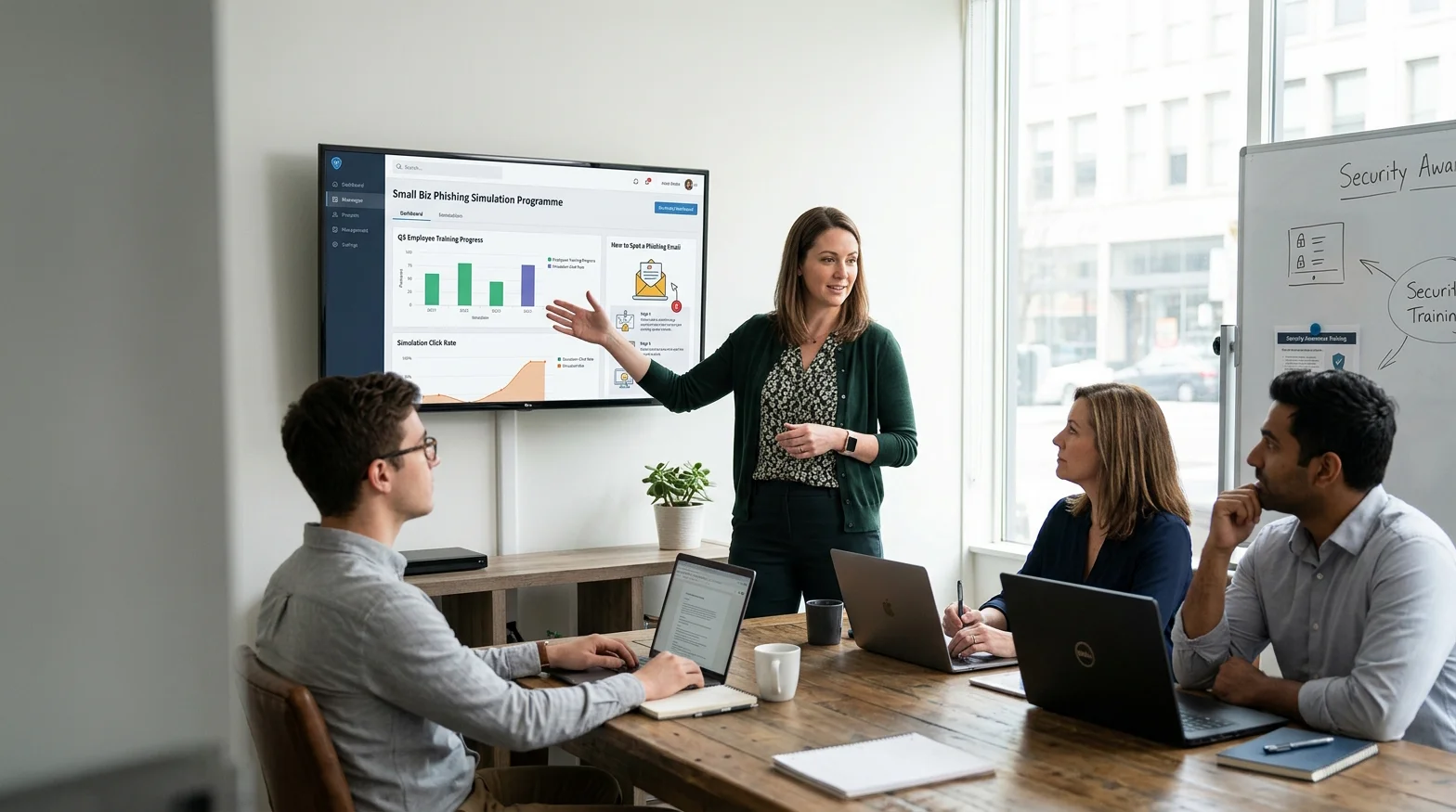
A phishing simulation program is a structured, recurring exercise in which your business sends controlled fake phishing emails to your own staff to test and improve their ability to spot real attacks before one causes damage. Done well, it is one of the most cost-effective security measures available to a small business. Done badly, it can damage the trust that holds a small team together.
This guide is written for business owners who are not security professionals. It covers what the research actually shows about whether these programs work, how to introduce one without creating resentment, what UK GDPR means for tracking employee click data, and what to do when someone keeps failing.
Do Phishing Simulation Programs Actually Work?
The honest answer is it depends on how you design them.
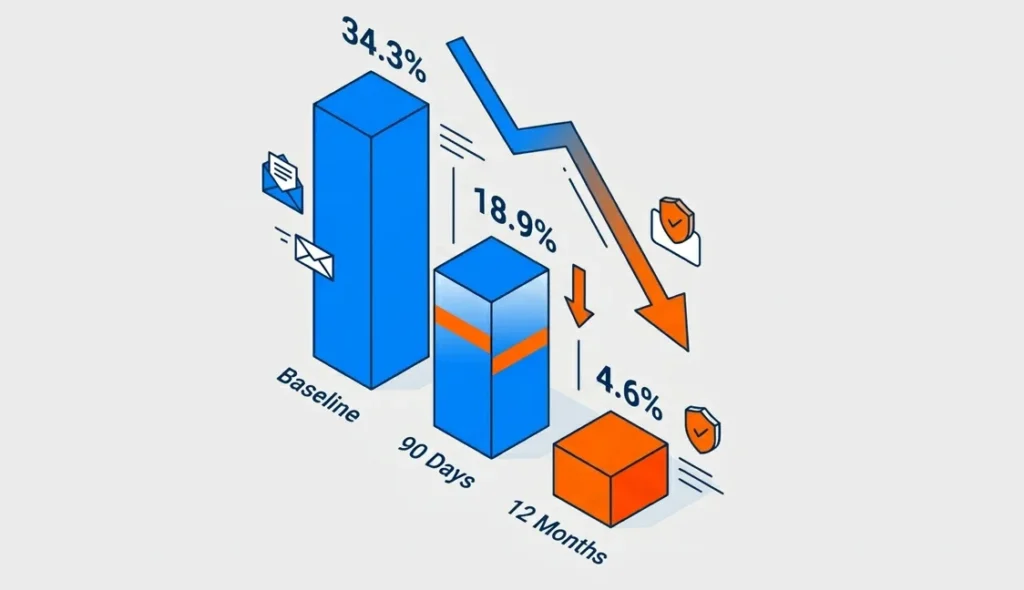
A 2024 industry benchmarking report based on nearly 12 million users found that the average baseline phish-prone rate was 34.3%. After 90 days of security awareness training and simulated phishing, it fell to 18.9%, and after 12 months it fell to 4.6%, an 86% reduction..
Those are compelling numbers. But a 15-month academic study one of the largest ever conducted reached a more uncomfortable conclusion. It found that immediate embedded phishing training did not reliably reduce future susceptibility on its own. The researchers argue that any benefit appears to come more from repeated reminders than from the training content itself. In some groups, employees who received embedded training went on to perform more dangerous actions than the untrained control group.
What the Research Says and What Most Guides Don’t Tell You
Both findings can be true and understanding why is worth a few minutes.
Simulations work when they are part of a genuine learning culture. They do not work when they function as a surveillance or compliance exercise or when the training that follows a failed test feels like punishment. A 2024 academic study presented at a major international cybersecurity security conference found that employee perception of the program directly shapes its effectiveness. When employees felt surveilled or tested unfairly, they disengaged. When they felt the program was designed to help them, engagement improved.
The practical conclusion, the tool you choose matters far less than the program you build around it.
The One Design Decision That Changes Everything
The single biggest factor separating effective programs from ineffective ones is whether you prioritise reporting culture over click-rate reduction.
The same large-scale academic study that questioned embedded training found something encouraging when employees were given a simple way to report suspicious emails, they collectively detected new phishing campaigns within minutes. That is a more valuable outcome than a low click rate on a dashboard.
Build the habit of reporting. Every person who flags a suspicious email whether simulated or real is doing exactly what you need them to do.
How Do You Launch a Phishing Simulation Program Without Damaging Trust?
The most common mistake is launching in complete secrecy, on the assumption that realism requires surprise. It does not.
You do not need to tell your team when a simulation will arrive. But you do need to tell them that simulations happen. This distinction matters more than it might seem. Teams who know simulations occur are not meaningfully better at spotting them, but they are far more likely to stay engaged, report suspicious emails, and not feel ambushed if they do click.
A 2024 study examining employee attitudes toward phishing simulations described surprise testing as feeling “like when a child reaches onto a hot hob.” The emotional response shock, embarrassment, distrust is not conducive to learning. In a small business where every working relationship is personal, that response has a longer tail.
Tell Your Team First The Announcement That Sets the Tone
The way you introduce the program is more important than any individual simulation. The core message to communicate is this:
- We run phishing simulations regularly as part of how we protect the business.
- The purpose is to help everyone including you get better at spotting real attacks.
- There is no punishment for clicking. There is a short follow-up with something useful to learn.
- We ask everyone to report anything that looks suspicious, whether it turns out to be a test or not.
A Sample Internal Communication You Can Adapt
Keep it short. Keep it direct. Here is a template:
Subject: We’re adding phishing awareness to how we work
Hi team,
Phishing attacks are the most common way businesses get compromised and most start with a single click. I want to make sure we’re all in a strong position to spot them.
From time to time, I’ll be running short simulated phishing exercises fake emails that look like the kind of thing attackers actually send. If you click, nothing bad happens. You’ll get a short note explaining what to look for.
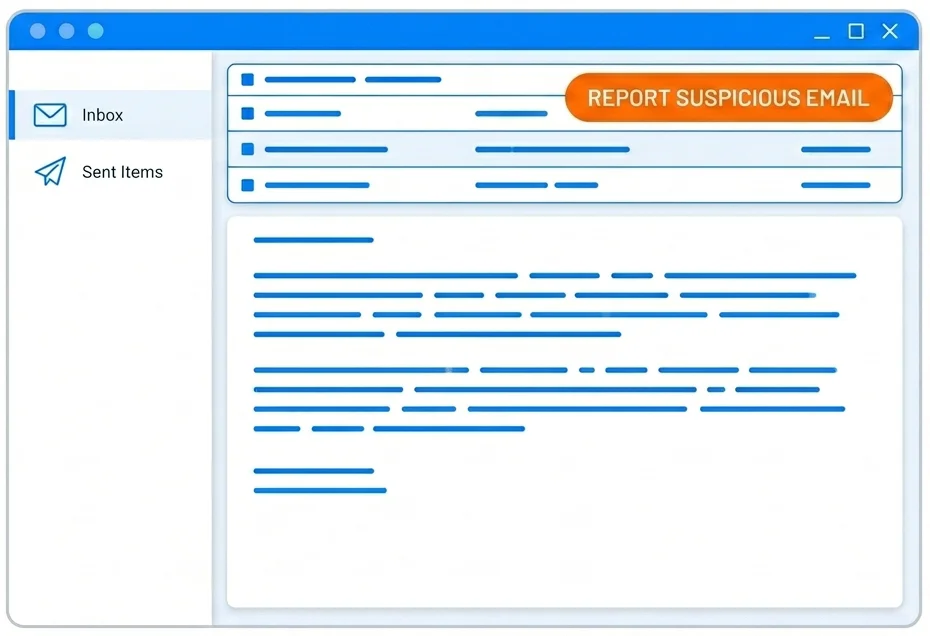
More importantly: if anything looks suspicious whether it’s a test or the real thing please flag it to [your designated email or contact]. That’s exactly what I need you to do.
This isn’t about catching anyone out. It’s about making all of us harder to fool.
[Your name]
That tone direct, honest, without drama is what makes the difference in a small team.
How Do You Choose Templates for Your Phishing Simulation Program?
Most simulation platforms offer hundreds of templates. The temptation is to start with the most generic ones a “your password is expiring” email, a fake delivery notification. These have their place, but they may not reflect the threats your business faces.
Match Templates to Real Threats, Not Generic Ones
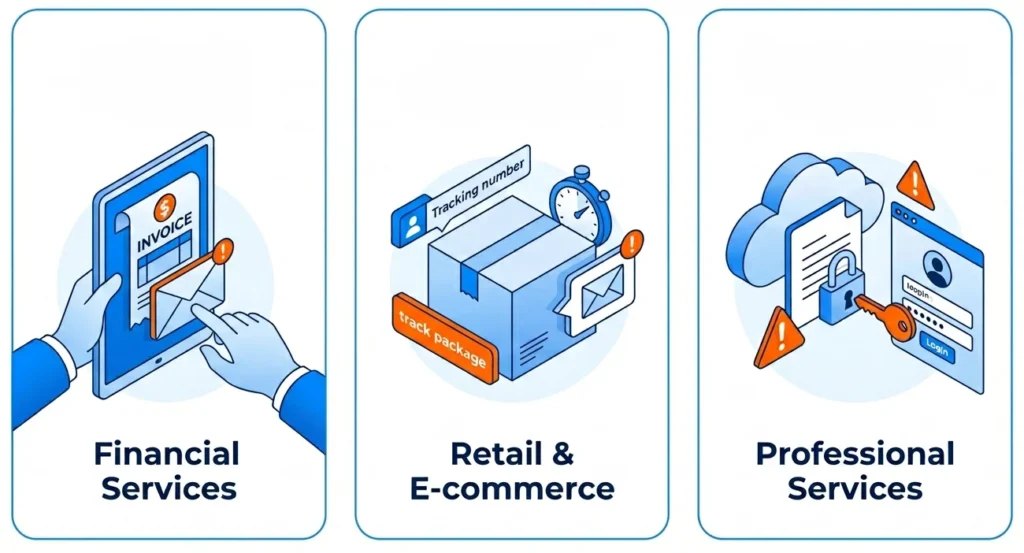
Consider what attackers are most likely to send to your industry and team size:
- Financial services – fake invoices and payment-redirect requests
- Retail and e-commerce – supplier impersonation and delivery fraud
- Professional services – credential-harvesting disguised as document-sharing requests
One important note for 2025 a 2025 vendor threat report found that over 82.6% of phishing attacks now use AI-generated content that adapts wording to appear more personalised and legitimate. The implication is that generic, obviously fake templates may underestimate the sophistication of what your team will encounter.
Also vary when you send simulations. Experimental research has found that people can become more susceptible to phishing under higher workload conditions, suggesting that testing only during quiet periods may understate real-world risk.
How Do You Read Phishing Simulation Program Results Without an IT Degree?
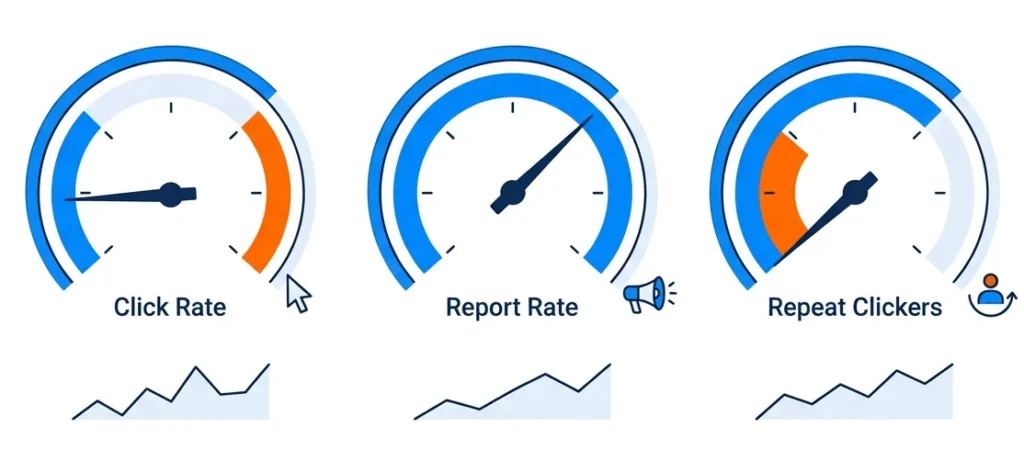
After your first simulation, you will have data. Most platforms give you more numbers than you need. Here is what actually matters.
The Three Metrics That Matter for a Small Team
1. Click rate – The percentage of employees who clicked the fake phishing link. A 2025 industry benchmarking report puts the average baseline at 24.6% for organisations with fewer than 250 employees. That is your starting point, not a verdict on your team.
2. Report rate – The percentage of employees who flagged the email as suspicious. Verizon’s 2024 DBIR says that in security awareness exercise data contributed by partners during 2023, 20% of users reported phishing in simulation engagements, and 11% of users who clicked also reported it. That makes reporting rate one of the most useful indicators of whether your program is improving behaviour.
3. Repeat clickers Which employees clicked across multiple simulations? This is a support signal, not a disciplinary one. More on this below.
One practical caution: in a small team, one or two people can swing your percentage figures significantly. Do not read too much into a single result. The trend across three to six months tells you far more than the first number you see.
What Do You Do When the Same Person Keeps Failing?
This is the question that almost no guide answers clearly and it is the one small business owners most need answered.
In a 20-person business, the person who keeps clicking is often someone you have worked with for years. You are not going to fire them. You are not going to humiliate them. You should not do either.
Have a private, low-stakes conversation. Not a disciplinary meeting, a genuine conversation about what they find difficult when assessing suspicious emails. Some people are more susceptible under cognitive load. Some struggle with specific formatting cues. Understanding the difficulty points to the right response.
Offer targeted help, not generic retraining. Sending someone through a standard security module for the third time rarely works. Walk through the specific signals they missed in the simulations they clicked on. Make the learning concrete and relevant.
Consider process controls as well as training. For employees who handle financial transactions or sensitive data, requiring dual approval for wire transfers or supplier payment changes reduces risk without relying entirely on individual vigilance. This is not a workaround for a training failure. It is how well-designed security operates at every level.
Research tracking employee attitudes across a large organization found that employees who received targeted, non-punitive follow-up after failing a simulation were significantly more engaged in subsequent exercises than those who received generic retraining. The manner of the response matters as much as the response itself.
What Does UK GDPR Mean for Tracking Employee Click Data?
This section does not substitute for legal advice. If you are processing individual employee data as part of a phishing simulation program, speak to an employment lawyer or data protection adviser for your specific situation. What follows is a starting framework.
When you run a phishing simulation program, you are typically recording which employees clicked, when, and how many times. That is personal data under UK GDPR. To process it lawfully, you need to address four things:
A lawful basis. The most likely basis for most small businesses is legitimate interests your interest in protecting the business from cyberattacks. Legitimate interests must be weighed against employee privacy rights. The less intrusive your data collection, the more straightforward this balance becomes.
Transparency. The UK Information Commissioner’s Office (ICO) requires that employees are informed about monitoring activity in most circumstances. Telling your team that simulations occur as the launch communication above does supports your transparency obligations. You do not need to disclose your testing schedule or methodology.
Data minimisation. Collect only what you will use. Aggregate click rates are sufficient for most small businesses. Individual-level tracking should be limited to what you need for follow-up support not retained indefinitely.
A documented retention policy. Decide how long you keep individual click data before anonymising or deleting it. Write that decision down.
The practical position for most small businesses: tell your team simulations happen, limit individual tracking to what you need, and document your lawful basis. That is a solid foundation.
Where Do You Start Your Phishing Simulation Program Today?
A phishing simulation program works when it is built around trust, not surveillance. The research is clear: reducing a click rate is a weak outcome on its own. What you are building is a team that reports suspicious emails and that feels confident enough to do so.
Start by telling your team the program exists. Use the communication template in this guide or adapt it to your own voice. Run your first simulation, and measure not just who clicked, but who reported. That second number is your real baseline.
Platforms like Complorer are built for exactly this kind of program combining simulation tools with structured follow-up support designed to help employees rather than penalise them. The goal is not a lower number on a dashboard. It is a team that makes attackers’ lives harder.
Take one action today: draft the internal announcement. Everything else follows from there.
Frequently Asked Questions
How often should you run a phishing simulation?
Monthly simulations are the frequency supported by most industry data. A 2024 industry benchmarking report found the greatest reduction in susceptibility among organizations that combined monthly simulations with targeted training. For a very small team, monthly may feel intensive but varying the templates and keeping the tone supportive manages that. Quarterly testing produces some benefit, but the learning effect drops significantly at longer intervals.
What is a good click rate for a small business?
A 2025 industry benchmarking report puts the average baseline click rate for organizations with fewer than 250 employees at 24.6%. After 12 months of consistent training and simulations, well-run programs reach rates below 5%. Do not judge your program on the first result judge it on the trend across six to twelve months.
Do you have to tell employees about phishing simulations in the UK?
UK GDPR requires transparency about employee monitoring in most circumstances. The ICO’s guidance indicates that employees should generally be aware when they are subject to monitoring which includes recording click behaviour during simulations. You do not need to announce test dates, but your team should know simulations occur. This is both a legal obligation and a program quality decision: transparent programs produce better outcomes than covert ones.
What tools do you need to run a phishing simulation program?
You do not need a large budget. Free, open-source simulation platforms are sufficient for basic programs in small teams. Paid security awareness training platforms add value through template libraries, automated training delivery, and reporting dashboards. Whether that value justifies the cost depends on whether you will actually use those features. If you are setting up a program for the first time with a team under 50, start with whatever tool you will commit to using consistently. Consistency matters more than sophistication.
References
- ETH Zurich Long-Term Study Unveils New Findings on Organizational Phishing
- Study Explores How Content, Nudges, and Incentives Impact Phishing Training
- “Like Reaching Onto a Hot Hob”: New ACM Study Details Employee Reactions to Phishing Simulations
- Insights and Threat Landscapes from the 2024 Verizon Data Breach Investigations Report
- Research Highlights the Role of Emotional Triggers in Sustaining Cyber Awareness
- CIPD Publishes 2026 Guidelines on Workplace Data Protection and Employee Surveillance
- New Study Highlights How Increased Employee Workload Drives Phishing Susceptibility



 Buy on AWS Marketplace